How to Sell Notion & Excel Templates Online in India (2026 Guide)
Which Notion, Excel and Google Sheets templates sell in India, how to deliver duplicate and make-a-copy links, locking formulas, updates, rupee pricing, demo videos and promotion.
FunnelPe Team · 11 Nov 2026 · 10 min read
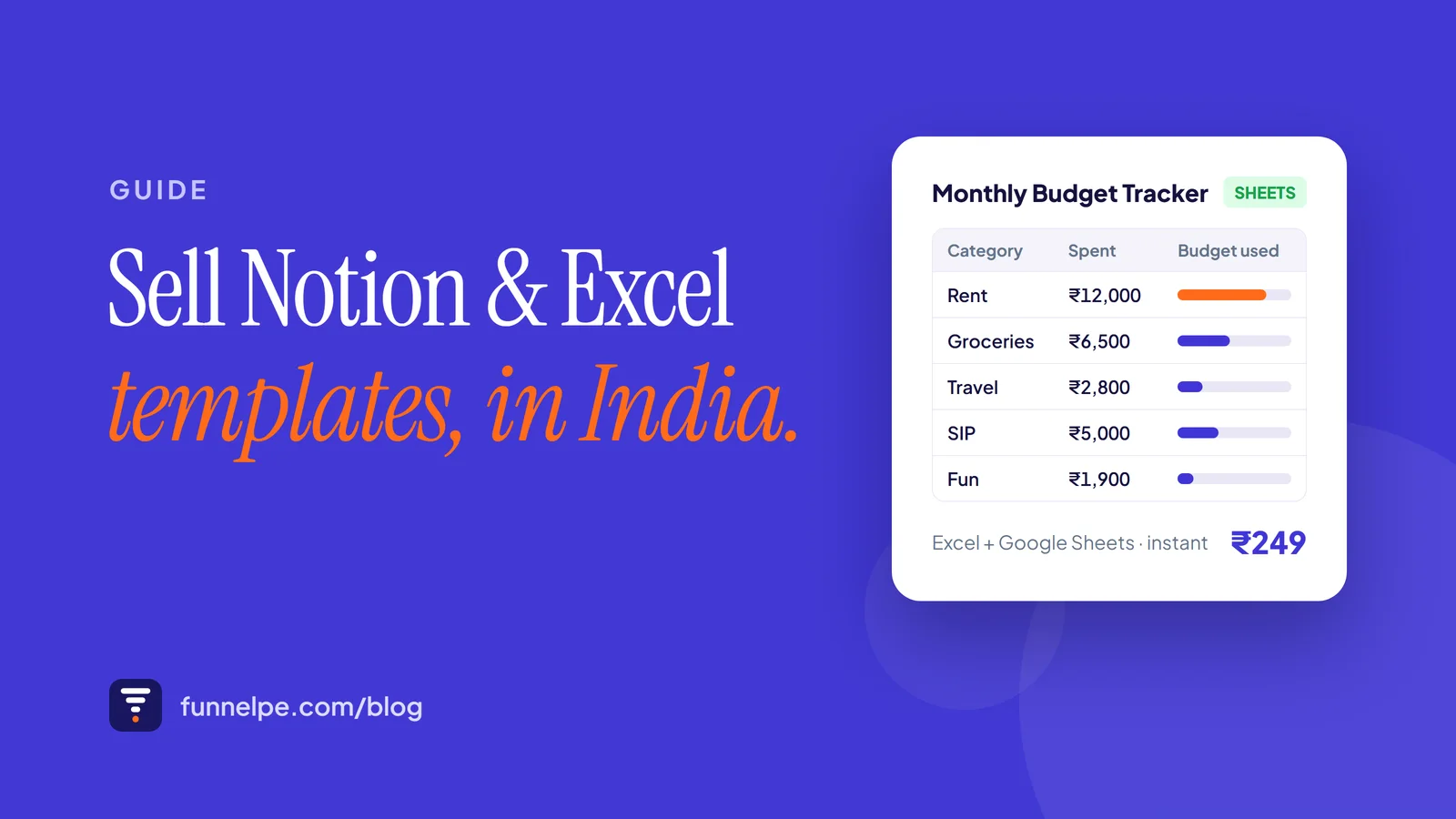
Notion templates and Excel or Google Sheets trackers are some of the easiest digital products to sell from India. You build a system once, and every buyer gets their own copy to fill in. This guide covers which templates sell, how to deliver them, protecting formulas, updates, rupee pricing and promotion on Instagram, YouTube and LinkedIn.
Quick answer: 7 steps
- Pick one template for one job, like "a monthly budget tracker for salaried couples".
- Build it in the tool your buyer already uses: Notion, Google Sheets or Excel.
- Deliver a Notion "Duplicate as template" link, a Google Sheets "make a copy" link or an .xlsx file. Never share your original.
- Lock formula cells, leave input cells open and add a "How to use" tab.
- Price single templates ₹149–₹499 and bundles ₹699–₹1,499.
- Show a 30-second demo and screenshots of every view on the sales page.
- Promote with reels of the template in use, a YouTube walkthrough and LinkedIn posts for business templates.
1. Pick templates people already need
People buy a template to replace a messy habit: expenses in a notebook, leads in a WhatsApp chat, a study timetable on paper. Name the job and the buyer, and the sale gets easier.
| Template | Who buys it | What to include | Example price |
|---|---|---|---|
| Budget and expense tracker | Salaried people, couples, hostel students | Monthly budget, expense log by UPI, cash and card, savings goals | ₹149–₹399 |
| GST invoice and billing sheet | Freelancers, small shops, home businesses | Invoice layout, client list, payment tracker | ₹199–₹499 |
| Study planner | NEET, JEE, UPSC and CA students | Syllabus tracker, revision schedule, mock test log | ₹99–₹299 |
| Habit tracker | Students, working professionals | Daily check-ins, streaks, a monthly review | ₹99–₹199 |
| Content calendar | Creators, social media managers, small brands | Ideas bank, monthly calendar, status board | ₹199–₹499 |
| CRM and lead tracker | Coaches, agencies, property agents | Lead list, follow-up dates, pipeline stages | ₹299–₹799 |
| Trading journal | Traders reviewing their own trades | Trade log, win rate, profit and loss by setup | ₹199–₹499 |
- Keep money templates neutral. A trading journal records trades and shows the trader's own numbers. It must not tell anyone what to buy, and your sales page shouldn't give tips or promise returns.
- Invoice sheets need a CA check. Tell buyers to confirm the invoice fields with their CA, and say it's a template, not tax advice.
2. Choose Notion, Google Sheets or Excel
Build in the tool your buyer already opens every day.
- Notion for planners, content calendars and dashboards. Buyers need a Notion account.
- Google Sheets for trackers with formulas that people use on phone and laptop. Buyers need a Google account.
- Excel for business sheets used offline or shared with an accountant. Buyers need an app that opens .xlsx files.
Many sellers put a Google Sheets link and an Excel file in one pack, which removes the "will it work for me?" doubt. Some formulas behave differently in the two apps, so test both.
3. Deliver Notion templates with a duplicate link
Never give buyers edit access to your page. Publish it instead, so each buyer duplicates an independent copy into their own workspace.
- Make a selling copy of your template, separate from the one you use. Keep every database and sub-page inside it.
- Select Share in the top right and open the Publish tab.
- Select Publish to web and make sure Allow duplicate as template is on.
- Select Copy web link. This is the link you deliver after payment.
When a buyer selects Duplicate, Notion asks which workspace to use and puts the copy, with all its sub-pages, in their Private section. Buyers who aren't logged in are asked to sign in or create an account first.
- Test from a second account. If blocks show "No access" in the copy, check whether a linked database lives outside your template, and move it inside.
- If the link leaks, you can switch off duplication in the page's Share menu (Publish, then Site customization, then Header). Then duplicate your selling copy, publish the new page, unpublish the old one and update the link on your product.
4. Deliver Google Sheets and Excel templates
Google Sheets: a "make a copy" link
- Select Share on your selling copy, and under General access choose Anyone with the link as a Viewer.
- Copy the link. Google's own tip: replace the word edit, and everything after it, with copy.
- Open the new link in a private window. Buyers are asked to make their own copy, and your file stays view-only.
Leave copying allowed for viewers in the file's share settings, or buyers may not be able to make their copy.
Excel: an .xlsx file
- Upload the .xlsx as the product file, with the version in the name, like "Budget-Tracker-v1.2.xlsx".
- Skip macros in a first product. They trigger security prompts on many computers and don't run in Google Sheets.
5. Protect formulas, but let buyers edit
Buyers must be able to type in what they paid for. What you want to prevent is an accidental delete of the formula that runs the dashboard. That's all protection is for: Google says sheet protection shouldn't be used as a security measure, and Microsoft says worksheet protection isn't intended as a security feature.
- Colour the input cells, like light yellow, and write "type only in yellow cells" at the top.
- Separate the tabs: inputs on one, calculations and the dashboard on others. Use dropdowns for categories, so a typo doesn't break the report.
Google Sheets: open Data, then Protect sheets and ranges. Pick the sheet, tick Except certain cells for the input area, and set permissions to Show a warning when editing this range. Buyers can still change a formula after confirming, which is fair in a file they own.
Excel: select the input cells, press Ctrl+1 and clear Locked on the Protection tab. Then select Protect Sheet on the Review tab. A password is optional. If you add one, put it on the "How to use" tab so buyers can customise.
Notion: keep calculations in formula properties, label those columns clearly, and add a "Start here" page that says what to leave alone.
6. Version your templates and ship updates
- Number every release (v1.0, v1.1) in the file name and on a "Start here" page, with a one-line changelog.
- Copies don't update. A duplicated Notion page or a copied sheet belongs to the buyer, so your later fixes don't reach it.
- Keep the same column order between versions, so buyers can paste their old rows into the new copy.
- Promise free updates only if you'll really make them.
On FunnelPe you replace the file or update the link on the same product. Buyers always see the current files and links in their library, and Broadcasts lets you email everyone who bought that product.
7. Price your templates in rupees
- ₹99–₹199 for a simple tracker, like habits or a study timetable.
- ₹199–₹499 for a complete system, like a budget tracker with a dashboard.
- ₹499–₹999 for business templates that save hours every week, like a CRM.
- ₹699–₹1,499 for a bundle of 4–6 templates.
- Launch prices must be real: raise the price when you said you would.
Here's what you keep on FunnelPe. The fee is the same on every plan, and Razorpay's charges are included in the 4%.
| Price | Payment fee (4%) | GST on the fee (18%) | You keep |
|---|---|---|---|
| ₹149 | ₹5.96 | ₹1.07 | ₹141.97 |
| ₹299 | ₹11.96 | ₹2.15 | ₹284.89 |
| ₹599 | ₹23.96 | ₹4.31 | ₹570.73 |
| ₹999 | ₹39.96 | ₹7.19 | ₹951.85 |
Try your own price in the fee calculator, and read how to price your course in India. The same thinking works for templates.
8. Show the template working on your sales page
- Lead with a 30–60 second demo. Screen-record yourself adding an expense and the dashboard updating, with captions for people on mute.
- Add a 5–10 second GIF of the same moment near the top.
- Show screenshots of every view: the dashboard, the input tab, the report and the phone view.
- List what's inside and the tool needed.
- Explain delivery and refunds. Say the link arrives right after payment, say clearly whether you refund, and promise to fix any link that doesn't work.
The Canva templates guide has more on mockups and sales page wording.
9. Add bundles, order bumps and a free sample
- Bundle related templates into one product, like "Money pack: budget tracker, expense log and savings goals", priced below the total.
- Add an order bump at checkout, like "Add the yearly summary dashboard for ₹79".
- Offer an upsell after payment: the full bundle, or a setup call. See how to sell consultation calls.
- Give a mini template free as a ₹0 product to collect emails and WhatsApp numbers for your launch.
10. Promote on Instagram, YouTube and LinkedIn
- Show the template in use: "Planning my month in Notion in 30 seconds" or "Tracking every UPI payment for 30 days".
- End with a keyword: "Comment BUDGET for the link". Instagram AutoDM sends your product link to everyone who comments it, and the free plan covers 1 automation for 300 people a month. Here's our comment-to-DM guide.
- Keep one store link in your bio. See the Linktree alternative guide.
YouTube
- Record a 10-minute walkthrough with a searchable title, like "Notion study planner for UPSC: full setup". Build one part on screen, then offer the finished template in the description.
LinkedIn for business templates
- Post about the problem a CRM or lead tracker solves, like follow-ups lost in WhatsApp chats.
- Share a document carousel of the dashboard with sample data.
Planning your first launch? Read how to sell your first digital product in India.
11. Sell templates on FunnelPe as a digital download
- Create a digital download product and add the price, demo video, screenshots and FAQ with the page builder.
- Upload the .xlsx file and a short "How to use" PDF.
- Paste the Notion and Google Sheets links in the "Extra links or instructions" box, which only buyers see after payment.
- Add an order bump or a coupon if you want, and share one link everywhere.
Buyers pay by UPI, card, netbanking or wallet and get access by email and WhatsApp the moment they pay. They can reopen everything in their library with a one-time code. The money goes straight to your own Razorpay account, and buyers get a GST invoice, or a bill of supply if you haven't added a GSTIN. The free Starter plan has 10 products and 1 GB of storage. Details are on the pricing page.
Short mein: Notion aur Excel templates kaise bechein
Ek kaam aur ek buyer pick karo, jaise "couples ke liye budget tracker". Apna original kabhi share mat karo: Notion mein "Duplicate as template" link, Google Sheets mein "make a copy" link, aur Excel mein .xlsx file do. Formula cells lock karo, input cells khule rakho, aur har update ka version number rakho. Single template ₹149–₹499 aur bundle ₹699–₹1,499 rakho. Sales page pe demo video lagao, reels mein template use karke dikhao, aur business templates LinkedIn pe promote karo. Buyer UPI se pay karega aur link turant email aur WhatsApp pe mil jayega.
Frequently asked questions
Can I sell Notion templates from India?
Yes. Publish your template with Allow duplicate as template on, and deliver the link only after payment. Each buyer duplicates it into their own Notion workspace.
Do buyers need a paid Notion or Google account?
Buyers need a Notion account to duplicate a Notion template, and a Google account to copy a Google Sheet. If your template depends on a paid-plan feature, say so on your sales page.
Can I stop buyers from sharing my template?
Not completely. Deliver the link only after payment, add your licence terms inside the template, and replace the link if it leaks.
How do I send updates to people who already bought?
Their copies don't update on their own. On FunnelPe, replace the file or link on the same product so it shows in every buyer's library, then email those buyers from Broadcasts.
Do I need GST registration to sell templates?
It depends on your turnover and how you sell, so ask a CA about your own case.
What does FunnelPe charge to sell templates?
₹0 a month on Starter, and one payment fee of 4% + GST per sale with Razorpay's charges included. On ₹299 you keep ₹284.89.
Sources
- Notion: The ultimate guide to Notion templates (checked November 2026)
- Notion: Duplicate public pages (checked November 2026)
- Google "make a copy" links: Tips to edit and collaborate on files, Google Workspace Learning Center (checked November 2026)
- Google Drive: Share and manage access to files and folders (checked November 2026)
- Google Sheets: Protect, hide and edit sheets (checked November 2026)
- Microsoft Excel: Protect a worksheet (checked November 2026)
- FunnelPe fees and features: pricing, Instagram AutoDM, help centre