How to Sell Lightroom Presets Online in India (2026 Guide)
How to build, package and sell Lightroom preset packs from India: mobile DNG and desktop XMP files, an install guide, niche ideas, rupee pricing, before/after reels, licences and refunds.
FunnelPe Team · 11 Nov 2026 · 9 min read
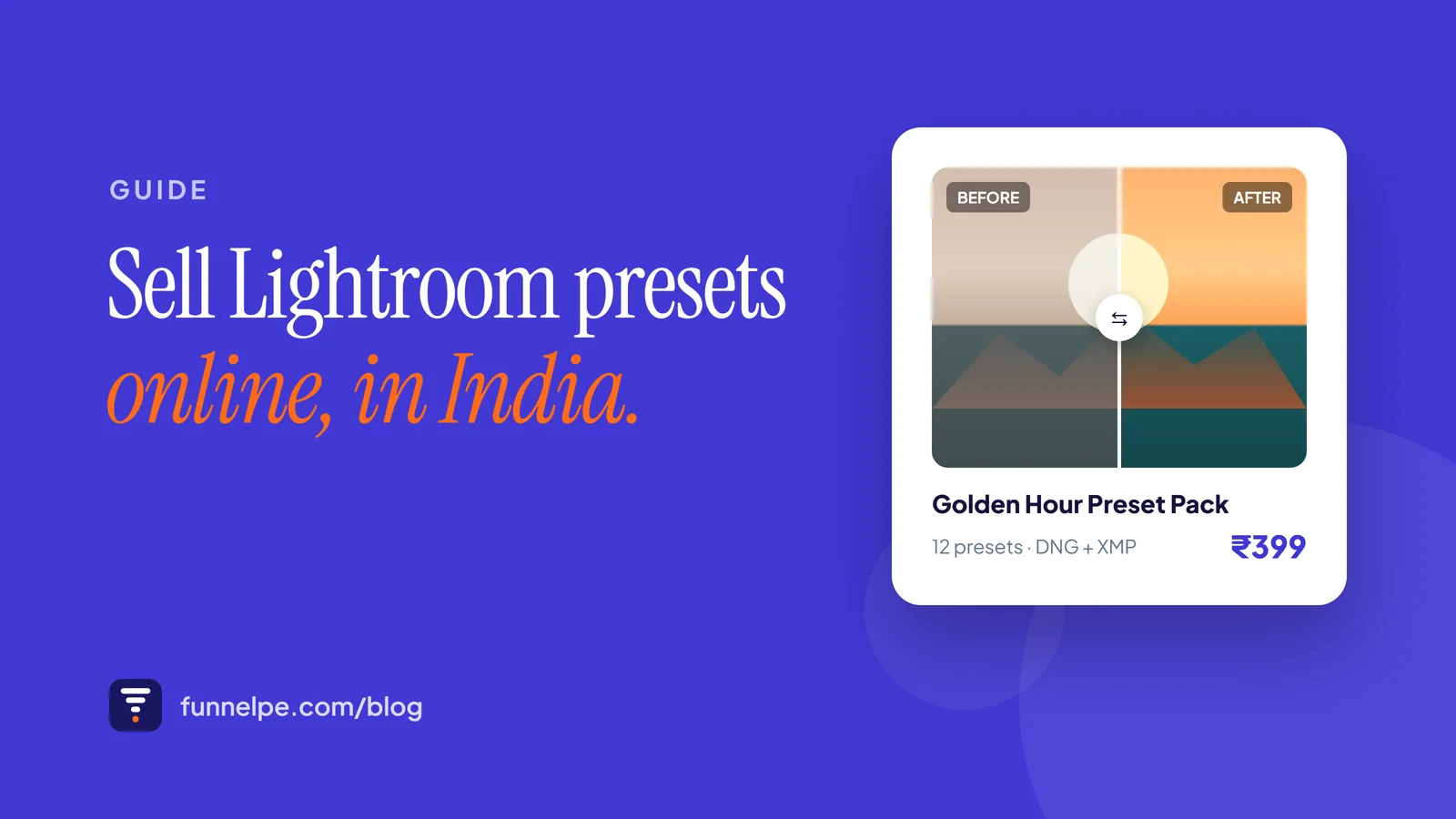
Lightroom presets are a natural first product for Indian photographers and creators. If people keep asking "which filter do you use?", the demand is already there. This guide covers what goes in a preset pack, how to package mobile DNG and desktop XMP files, how buyers install them, niche ideas, rupee pricing, before/after reels, licence terms, refunds and delivery.
Quick answer: 7 steps
- Pick one niche and one look, like "warm, natural tones for indoor wedding functions".
- Make 8–12 presets and test each one on 20+ photos in different light.
- Export XMP files for computers and DNG files for phones.
- Package them with an install guide PDF, before/after examples and a licence.
- Price mini packs ₹149–₹199 and full packs ₹299–₹799.
- Sell with honest before/after pairs on the sales page and in reels.
- Deliver instantly as a digital download, on email and WhatsApp.
1. Know what goes in a preset pack
A preset is a saved set of edit settings. Buyers apply it in one tap, then fine-tune. A good pack works for phone and computer users and needs no WhatsApp help to install.
| File | What it is | Who uses it |
|---|---|---|
| XMP presets | The standard preset files you export from Lightroom | Lightroom on a computer, and Lightroom mobile versions that import preset files |
| DNG files | One photo per preset, with your edit saved inside it | Phone users, who open it in Lightroom mobile and save its settings as a preset |
| Install guide PDF | Step-by-step install for phone and computer | Every buyer, especially first-timers |
| Before/after examples | One pair per preset | Buyers choosing which preset fits a photo |
| Licence page | What buyers can and can't do with the files | Everyone, before and after buying |
The Lightroom mobile app is free to download, so many phone buyers won't have a paid Adobe plan. Some Lightroom tools need one. Build mobile presets mainly from the basic light, colour and effects settings, test them on a free account, and say on the sales page if a preset depends on a paid feature.
2. Pick a niche and a look
"50 aesthetic presets" competes with thousands of free packs. A pack for one kind of photo, made by someone who shoots it, is easier to trust.
- Wedding: rich reds and golds for lehengas and decor, mixed indoor light at sangeet nights, and haldi yellows that don't turn skin orange.
- Food: crisp, warm photos of biryani, chai and desserts for cafes, home bakers and food bloggers, shot under tube lights or window light.
- Travel: mountain blues, beach teals, monsoon greens and desert golds. Name presets by place and light, like "Goa Noon" or "Ladakh Morning".
- Skin tones: make presets that keep skin natural across light, medium and deep Indian skin tones, and test them on many different people. Never call a preset "fair", "brightening" or "whitening", and never promise to make anyone look fairer. Keep each person's real skin colour in your examples.
- Other niches: real estate and interiors, product photos for small D2C brands, and festival nights like Diwali lights or Durga Puja pandals.
3. Build presets that work on many photos
- Test widely. Try each preset on 20–30 photos from different phones, cameras and lighting. If it only works on your own shots, it isn't ready.
- Keep exposure and white balance moves small. They change from photo to photo, so tell buyers to adjust them after applying.
- Name each preset clearly, like "Sangeet Night" or "Cafe Window", not "Preset 07".
- Offer a soft and a strong version of your best look.
- Make every preset yourself. Don't repackage another creator's presets or Lightroom's built-in ones.
4. Package your preset pack
- Export the XMP presets from Lightroom into a "Desktop-XMP" folder.
- Export one DNG per preset into a "Mobile-DNG" folder, each named after its preset.
- Write a 3–4 page install guide PDF: phone steps, computer steps, "adjust exposure and white balance after applying", and your support email or WhatsApp.
- Add the before/after examples and the licence to the PDF or as images.
- Zip each folder and name it with your brand, pack and version, like "StudioName-Wedding-Warm-Mobile-v1.0.zip".
Many phone buyers find one big ZIP confusing. Upload three files instead: the mobile ZIP, the desktop ZIP and the install guide PDF. On FunnelPe, one product can hold several files.
5. How buyers install presets
Adobe changes menus between app versions, so keep your guide general, link to Adobe's own help pages, and record a 2-minute screen video of each method.
Lightroom mobile (free app)
- Download the mobile ZIP and unzip it in the phone's Files app.
- Direct import: recent versions of Lightroom mobile can import preset files. Open any photo, go to Presets and look for the import option in the presets menu.
- DNG method: add the DNG files to Lightroom like photos, open one, choose the option to create a preset from its settings, name it and repeat for each file.
Lightroom on a computer
In Lightroom, the File menu has an option to import profiles and presets: pick the XMP files. In Lightroom Classic, import them from the Presets panel in the Develop module. If buyers use Lightroom on a computer and a phone with the same Adobe account, presets added on the computer can sync to the phone. Adobe's install presets and profiles FAQ has the current steps.
6. Price your presets in rupees
| Pack | What's inside | Example price | You keep at |
|---|---|---|---|
| Free sample | 1 preset, DNG and XMP | ₹0 | A new email and WhatsApp contact |
| Mini pack | 3–5 presets | ₹149–₹199 | ₹189.61 at ₹199 |
| Niche pack | 10–12 presets, install guide, examples | ₹299–₹599 | ₹380.17 at ₹399 |
| Pro bundle | 25–40 presets across 3 looks, a video tutorial | ₹799–₹1,499 | ₹761.29 at ₹799 |
- Give one preset free. Buyers try your look on their own photos before paying for the pack.
- Add an order bump at checkout, like "Add 5 low-light presets for ₹99".
- Charge more for a studio licence (section 8).
- Launch prices must be real. "₹299 for the first week, then ₹499" works only if you really raise it.
Try your own numbers in the fee calculator. For the thinking behind a price, read how to price your course in India. It works for presets too.
7. Sell with honest before/after photos and reels
Sales page
- Show 6–10 before/after pairs that mix indoor and outdoor, phone and camera, and different skin tones.
- Show the preset alone, plus the small exposure tweak if you made one. Don't sell presets with photos you also retouched in another app.
- Say what buyers need: the free Lightroom mobile app or Lightroom on a computer.
- Explain delivery and refunds in two lines near the buy button.
On FunnelPe, the page builder has an Image block for the pairs and a Video block for a YouTube, Vimeo, Loom or Drive link. The Canva templates guide has more on mockups and sales page wording.
Instagram reels
- The swipe: before photo, hand swipe, after photo, in 7–10 seconds.
- One photo, five presets: the same shot cycling through the pack.
- Edit in real time: a screen recording of one tap on a phone photo.
- End with a keyword: "Comment PRESET for the free one". Instagram AutoDM sends the link to everyone who comments, and the free plan covers 1 automation for 300 people a month. See our comment-to-DM guide.
If a reel takes off on its own, the ₹500-a-day Instagram ads playbook shows how to put a small budget behind it.
8. Write clear licence terms
- Standard licence: one person may use the presets on their own photos. Say clearly whether paid client work is allowed, because photographers will ask.
- No resale or sharing: buyers can't resell, share or upload the files, or put them in another pack or app.
- Studio licence: a higher price for studios with several editors.
- Show it twice: on the sales page, so buyers agree before paying, and inside the pack.
This is a general summary, not legal advice.
9. Set a refund policy for digital goods
Presets can't be returned once downloaded, so decide your policy before launch and write it on the sales page.
- A common approach: no refunds once the files are delivered, but full help with installing, and a replacement for any file that doesn't work.
- Be fair when you got it wrong. If the pack doesn't match what the sales page showed, refund.
- Prevent most requests with honest examples and the free sample.
On FunnelPe you can refund an order fully or partly from its order page. A full refund also removes the buyer's library access, though files already downloaded stay on their device.
10. Deliver presets as a FunnelPe digital download
- Create a digital download product and add the before/after images, a demo video and FAQ with the page builder.
- Upload the mobile ZIP, the desktop ZIP and the install guide PDF.
- Paste your install video link in the "Extra links or instructions" box, which only buyers see after payment.
- Add an order bump, a coupon or an upsell, like a 1:1 editing review call. See how to sell consultation calls.
Buyers pay by UPI, card, netbanking or wallet, and get access by email and WhatsApp the moment they pay. A buyer who changes phones can download again from their library with a one-time code. For a v1.1, upload the new files to the same product, and every buyer sees them in their library. Then email buyers of that pack from Broadcasts. The money goes straight to your own Razorpay account, and buyers get a GST invoice, or a bill of supply if you haven't added a GSTIN. The free Starter plan has 10 products and 1 GB of storage. Details are on the pricing page, and how to sell your first digital product in India covers the launch.
Short mein: Lightroom presets kaise bechein
Ek niche aur ek look pick karo, jaise wedding, food ya travel. 8–12 presets banao aur har ek ko alag light aur alag phones ki 20+ photos pe test karo. Computer ke liye XMP aur phone ke liye DNG files do, saath mein install guide PDF aur licence. Skin tones natural rakho, "fair" ya "whitening" jaise words kabhi use mat karo. Mini pack ₹149–₹199 aur full pack ₹299–₹799 rakho, aur ek preset free do. Reels mein before/after swipe dikhao aur bolo "Comment PRESET". Refund policy pehle se clear likho. Buyer UPI se pay karega aur files turant email aur WhatsApp pe mil jayengi.
Frequently asked questions
Can free Lightroom mobile users use my presets?
Usually, yes. The mobile app is free to download, but some Lightroom tools need a paid Adobe plan, so build mobile presets from the basic settings and test them on a free account.
Should I sell DNG or XMP presets?
Both. XMP files are for Lightroom on a computer and for mobile versions that import preset files, and DNG files let phone buyers create the presets from a photo.
Will my presets work on every photo?
No preset does. Show examples in different light, and tell buyers to adjust exposure and white balance after applying.
How do I stop people sharing my presets?
You can't stop it completely. Deliver only after payment, include a clear licence, and keep improving the pack so buying direct is worth it.
Do I need GST registration to sell presets?
It depends on your turnover and how you sell, so ask a CA about your own case.
What does FunnelPe charge to sell presets?
₹0 a month on Starter, and one payment fee of 4% + GST per sale with Razorpay's charges included. On ₹399 you keep ₹380.17.
Sources
- Adobe Help: Import and export presets in Lightroom on mobile (for current steps)
- Adobe Help: Install presets and profiles in Lightroom, FAQ (for current steps)
- FunnelPe fees and features: pricing, Instagram AutoDM, help centre